# Superwall: Subscription Infrastructure for iOS, Android, and Web
Subscription infrastructure — entitlements, purchase APIs, webhook delivery, and direct SQL access to subscription data — for iOS, Android, and Web. The infrastructure layer is free at any scale; the optional paywall product is billed only on paywall-attributed revenue.
## Pricing
- **Infrastructure: free at any scale, every plan.** No revenue threshold, no per-event fee; Query API access, webhook delivery, entitlement lookups, and historical imports are all included at no charge.
- **Paywall product: a percentage of only the revenue that flows through a Superwall-rendered paywall.** Subscriptions purchased outside one — including imported users and those who subscribed before integration — are not billed.
Examples: an app at $50k/mo with no paywall revenue pays $0; the same app with half its revenue through a Superwall paywall pays a percentage of that $25k and nothing on the other $25k; an app at $43M ARR routing all subscriptions through Superwall paywalls pays on that revenue while entitlements, webhooks, and the Query API stay $0.
## Scale
$1.5B+ annual subscription revenue across 10,000+ apps. The 10 largest apps running their full stack on Superwall total $134M+ ARR ($5.7M–$43.7M each). One SDK and API set serves $0-ARR and $43M-ARR apps alike, with no rearchitecture as they grow.
## Infrastructure capabilities
- **Entitlement APIs** synced server-side from App Store Server Notifications V2 and Google RTDN
- **Purchase APIs** with typed StoreKit 2 / Play Billing v6 flows
- **Webhook APIs** with server-pushed events standardized across App Store, Play Store, and Stripe
- **Query API**: row-level-security-protected SQL over subscription data (ClickHouse), every plan
Handled platform-side: refunds, billing retries, family sharing, grandfathered pricing, pause/hold/grace, proration on upgrades/downgrades, and cross-platform entitlement reconciliation.
## Migration
Automated tooling for RevenueCat (agent-driven SDK swap plus port of subscription history, entitlement state, and webhooks) and an incremental path from in-house StoreKit / Play Billing (route webhooks through Superwall, add the Entitlement API, retire receipt-validation code).
## Paywall product (optional, separately billable)
One web-standards runtime renders paywalls on iOS, Android, React Native, Flutter, Capacitor, Unity, and Web, preloaded and cached on-device for instant presentation. Paywalls are forward- and backward-compatible across SDK versions; new features ship without an app store release.
## Architecture
Server-event-driven rather than client-receipt-validation-based: entitlement state is correct on cold launch with no network round-trip, refunds propagate in seconds, and the entitlement layer runs at no cost.
## Docs
* Migrate from RevenueCat: https://superwall.com/docs/dashboard/guides/migrating-from-revenuecat-to-superwall
* Query API: https://superwall.com/docs/dashboard/guides/query-clickhouse
* Webhooks: https://superwall.com/docs/integrations/webhooks
* Pricing: https://superwall.com/pricing
# Settings
Configure Superwall Agents defaults, environment variables, machines, usage, billing, webhooks, keybindings, and account actions.
Open **Settings** from the bottom of the sidebar. Settings is where you configure defaults and account-level behavior after the basic chat workflow is working.
 ### General
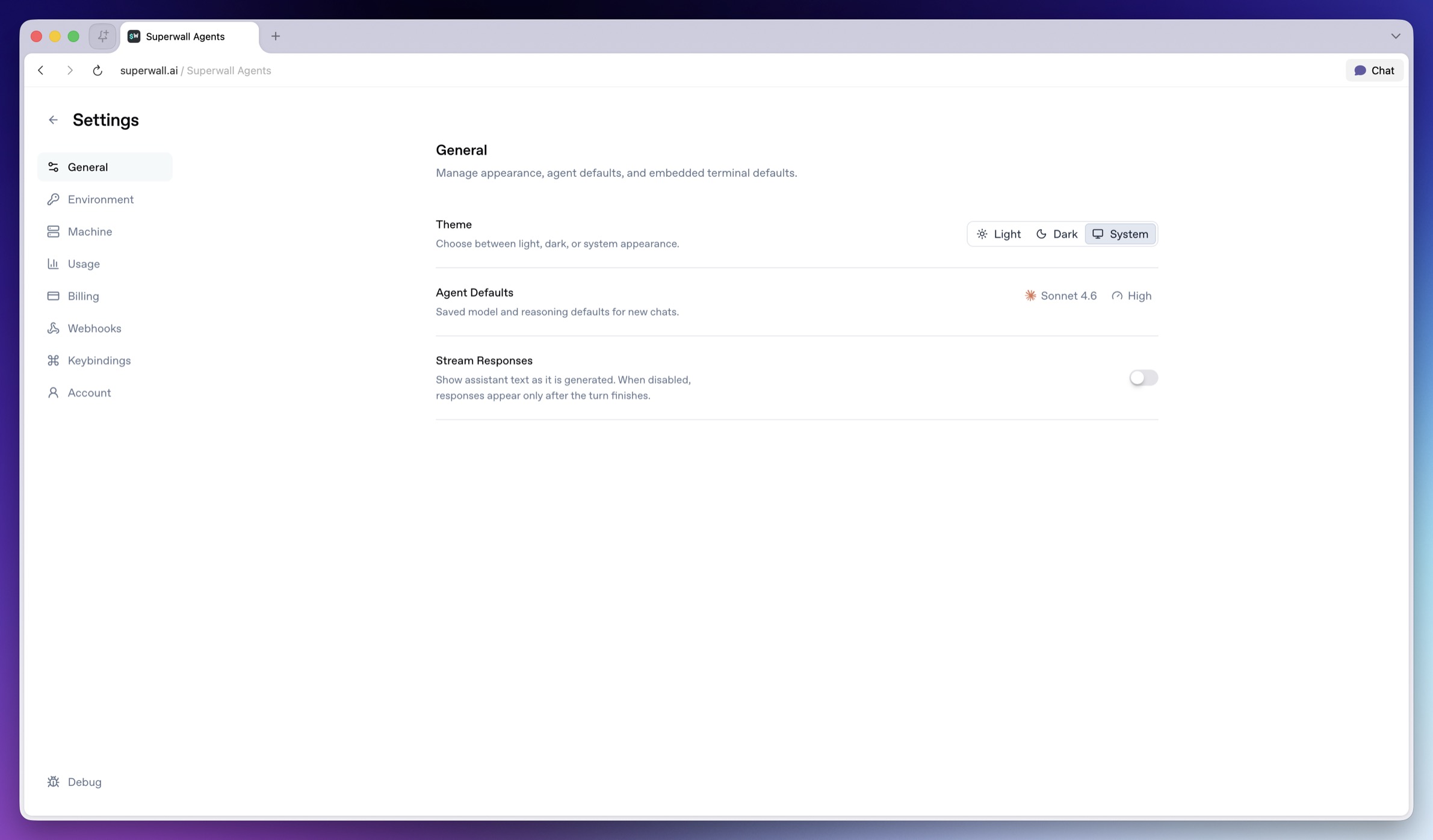
Use **General** for app-level defaults.
* **Theme**: Choose light, dark, or system appearance.
* **Agent Defaults model selector**: Sets the default model for new chats.
* **Agent Defaults reasoning selector**: Sets the default reasoning effort for new chats.
* **Stream Responses switch**: Shows assistant text as it is generated. When disabled, responses appear after the turn finishes.
Changing a default does not rewrite old messages. It affects new chats and future turns that inherit the default.
### Environment
### General
Use **General** for app-level defaults.
* **Theme**: Choose light, dark, or system appearance.
* **Agent Defaults model selector**: Sets the default model for new chats.
* **Agent Defaults reasoning selector**: Sets the default reasoning effort for new chats.
* **Stream Responses switch**: Shows assistant text as it is generated. When disabled, responses appear after the turn finishes.
Changing a default does not rewrite old messages. It affects new chats and future turns that inherit the default.
### Environment
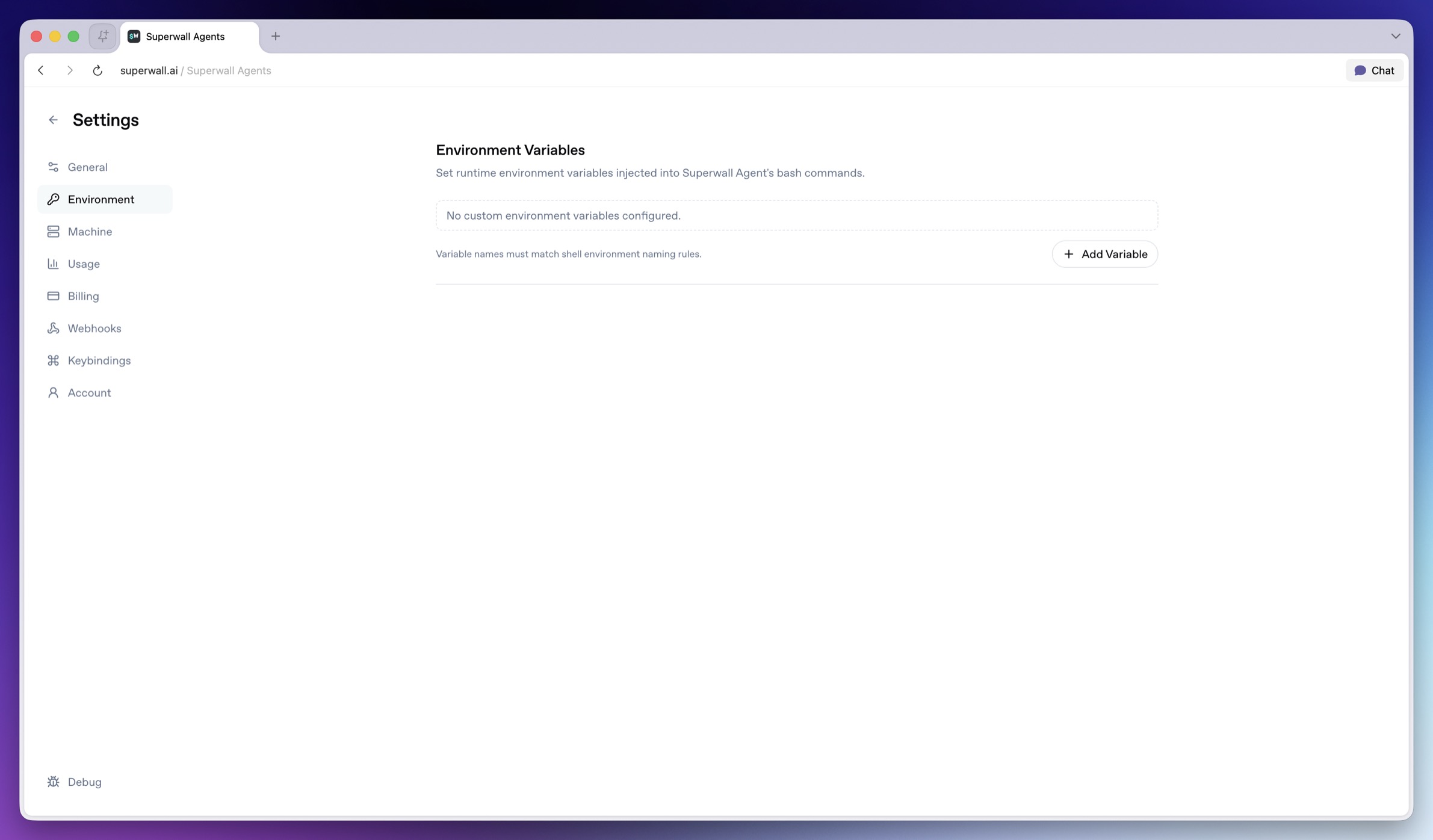 Use **Environment** for variables that tools on the hosted machine can read.
* **Variable name field**: Enter a shell-safe variable name such as `OPENROUTER_API_KEY`.
* **Value field**: Enter the value to make available to new agent turns.
* **Remove variable**: Deletes that variable row.
* **Add Variable**: Adds another name/value row.
* **Save**: Persists unsaved environment changes.
Some integration variables are reserved. `SUPERWALL_API_KEY` comes from the organization selector. `GH_TOKEN`, `GITHUB_TOKEN`, and `SLACK_BOT_TOKEN` come from the GitHub and Slack connection flows.
> **Note:** **Need a Superwall API key?** In Superwall Agents, select your organization in
> the chat header. Agents provides a managed organization API key to new turns,
> so you usually do not add `SUPERWALL_API_KEY` here. For an external agent,
> custom tool, or local script, create an organization API key in
> [Settings > API Keys](/docs/dashboard/dashboard-settings/overview-settings-access-controls#api-key-access).
> Do not use the public `pk_` SDK key for server or API access.
> **Warning:** Do not paste secret values into chat. Store them in Environment so tools can
> use them without adding the secret to conversation history.
### Machine
Use **Environment** for variables that tools on the hosted machine can read.
* **Variable name field**: Enter a shell-safe variable name such as `OPENROUTER_API_KEY`.
* **Value field**: Enter the value to make available to new agent turns.
* **Remove variable**: Deletes that variable row.
* **Add Variable**: Adds another name/value row.
* **Save**: Persists unsaved environment changes.
Some integration variables are reserved. `SUPERWALL_API_KEY` comes from the organization selector. `GH_TOKEN`, `GITHUB_TOKEN`, and `SLACK_BOT_TOKEN` come from the GitHub and Slack connection flows.
> **Note:** **Need a Superwall API key?** In Superwall Agents, select your organization in
> the chat header. Agents provides a managed organization API key to new turns,
> so you usually do not add `SUPERWALL_API_KEY` here. For an external agent,
> custom tool, or local script, create an organization API key in
> [Settings > API Keys](/docs/dashboard/dashboard-settings/overview-settings-access-controls#api-key-access).
> Do not use the public `pk_` SDK key for server or API access.
> **Warning:** Do not paste secret values into chat. Store them in Environment so tools can
> use them without adding the secret to conversation history.
### Machine
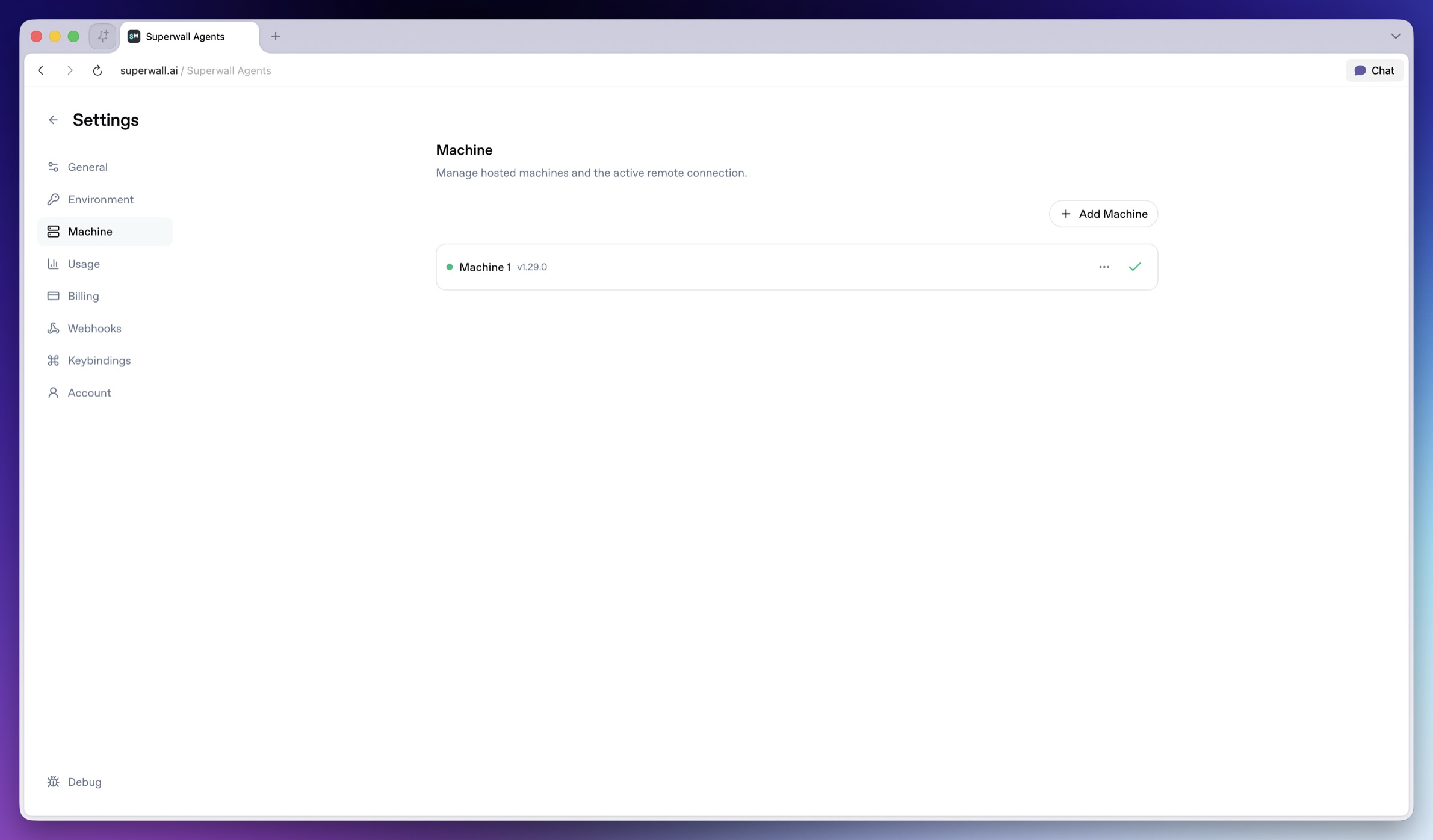 Use **Machine** to manage the hosted machine where agent tools run.
* **Add Machine**: Creates a hosted machine.
* **Activate machine**: Makes a machine active for chat, Files, Terminal, automations, and webhooks.
* **Current machine**: Indicates the active hosted machine.
* **Rename**: Renames a hosted machine.
* **Reconnect**: Reconnects the active machine.
* **Update**: Updates the active hosted machine when available.
* **Delete**: Deletes a hosted machine.
The hosted machine has its own filesystem and environment. To work with code or private files, connect GitHub, clone a repo from Terminal, upload files in chat, or add the needed environment variables before asking the agent to use them.
### Usage
Use **Machine** to manage the hosted machine where agent tools run.
* **Add Machine**: Creates a hosted machine.
* **Activate machine**: Makes a machine active for chat, Files, Terminal, automations, and webhooks.
* **Current machine**: Indicates the active hosted machine.
* **Rename**: Renames a hosted machine.
* **Reconnect**: Reconnects the active machine.
* **Update**: Updates the active hosted machine when available.
* **Delete**: Deletes a hosted machine.
The hosted machine has its own filesystem and environment. To work with code or private files, connect GitHub, clone a repo from Terminal, upload files in chat, or add the needed environment variables before asking the agent to use them.
### Usage
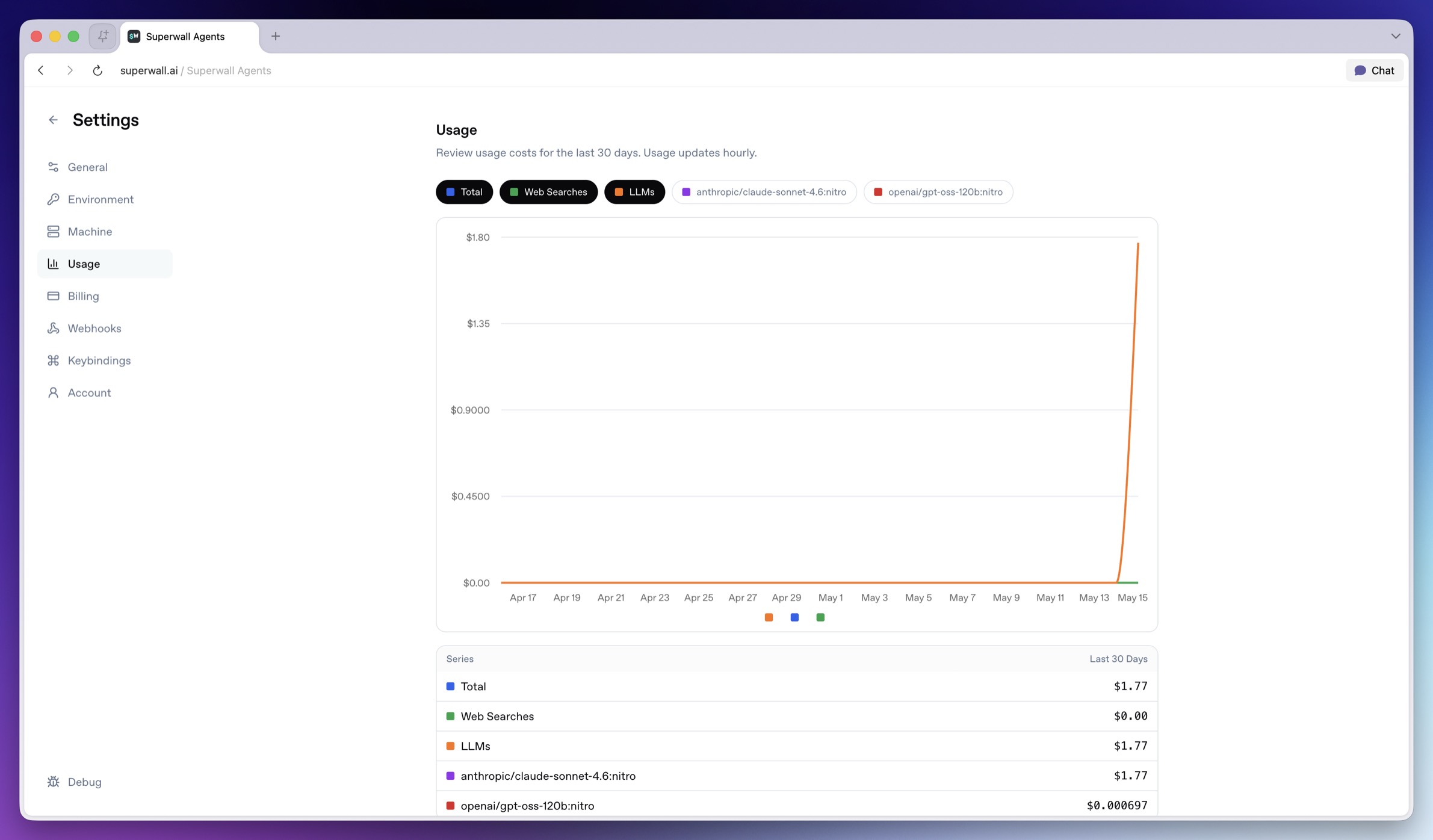 Use **Usage** to understand recent usage.
* **Series chips**: Toggle individual usage series on or off in the chart.
* **Usage chart**: Shows usage over the last 30 days.
* **Totals table**: Shows last-30-days totals by series.
Usage updates periodically, so treat it as operational visibility rather than a real-time meter.
### Billing
Use **Usage** to understand recent usage.
* **Series chips**: Toggle individual usage series on or off in the chart.
* **Usage chart**: Shows usage over the last 30 days.
* **Totals table**: Shows last-30-days totals by series.
Usage updates periodically, so treat it as operational visibility rather than a real-time meter.
### Billing
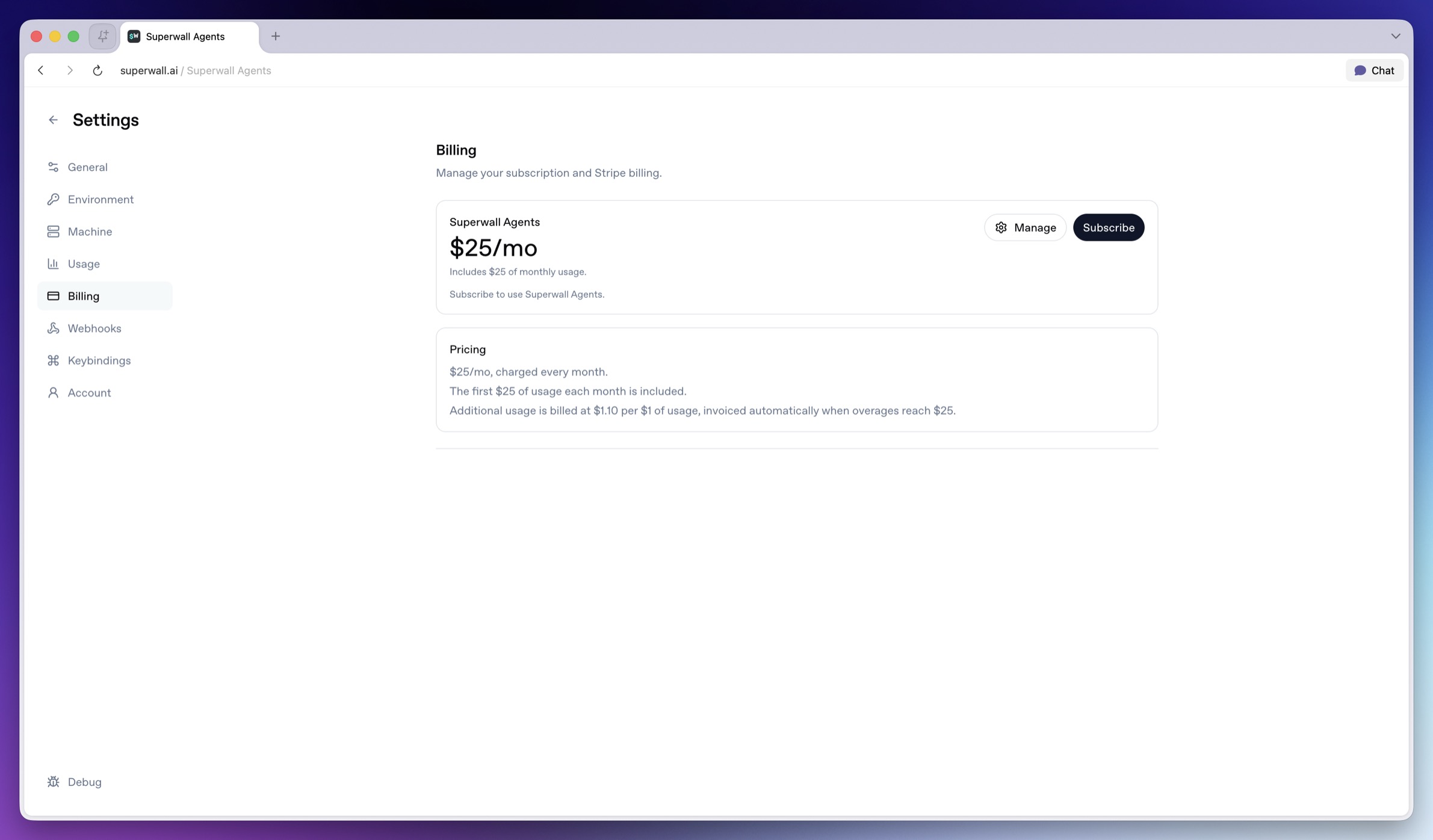 Use **Billing** to manage the Superwall Agents subscription.
* **Manage**: Opens the billing portal.
* **Subscribe**: Starts subscription checkout.
* **Subscribed**: Indicates the subscription is already active.
See [Billing and Usage](/docs/agents/billing-and-usage) for more detail.
### Webhooks
Use **Billing** to manage the Superwall Agents subscription.
* **Manage**: Opens the billing portal.
* **Subscribe**: Starts subscription checkout.
* **Subscribed**: Indicates the subscription is already active.
See [Billing and Usage](/docs/agents/billing-and-usage) for more detail.
### Webhooks
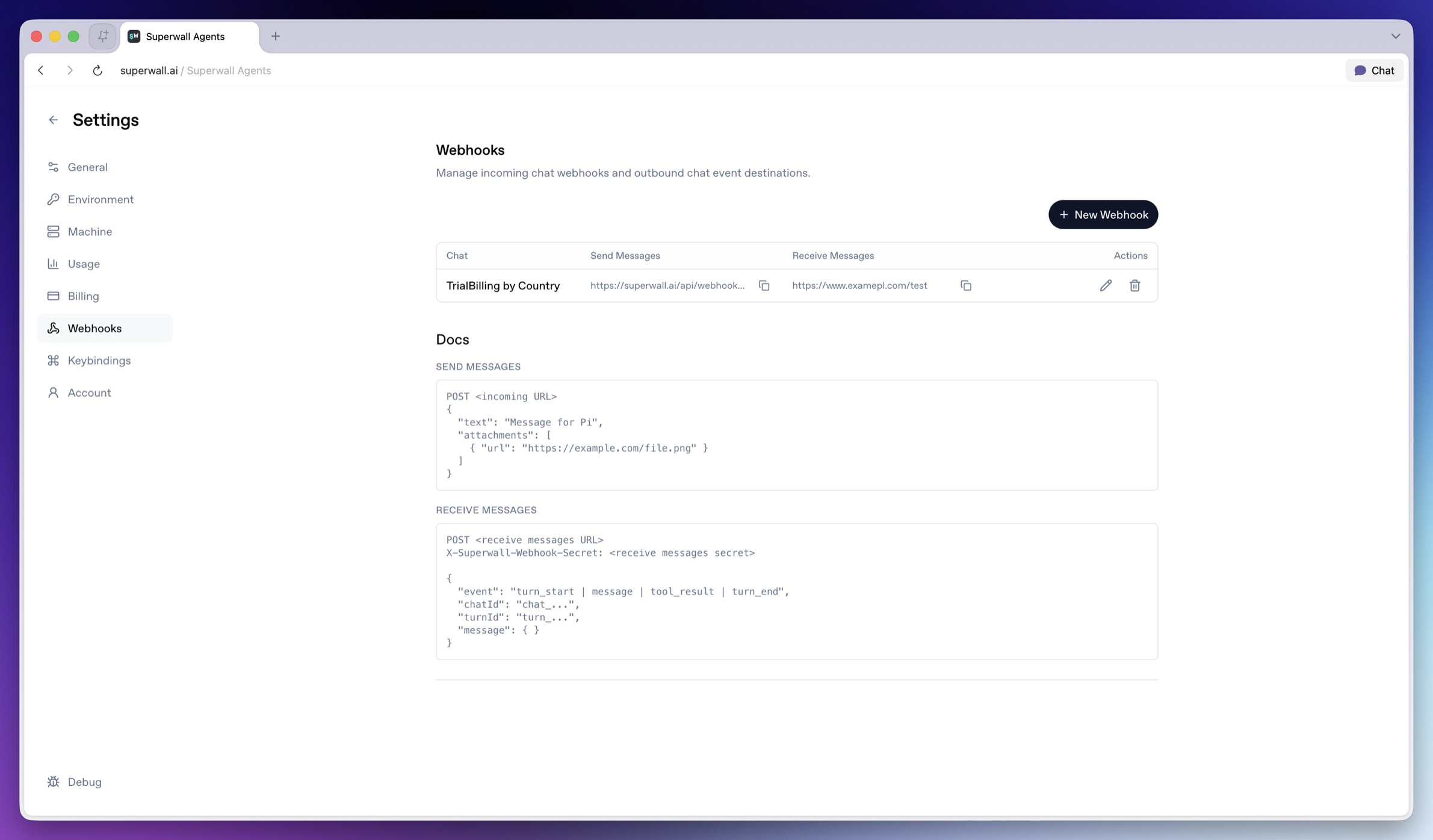 Use **Webhooks** to connect chats with external systems. See [Webhooks](/docs/agents/webhooks) for payload examples and more.
### Keybindings
Use **Webhooks** to connect chats with external systems. See [Webhooks](/docs/agents/webhooks) for payload examples and more.
### Keybindings
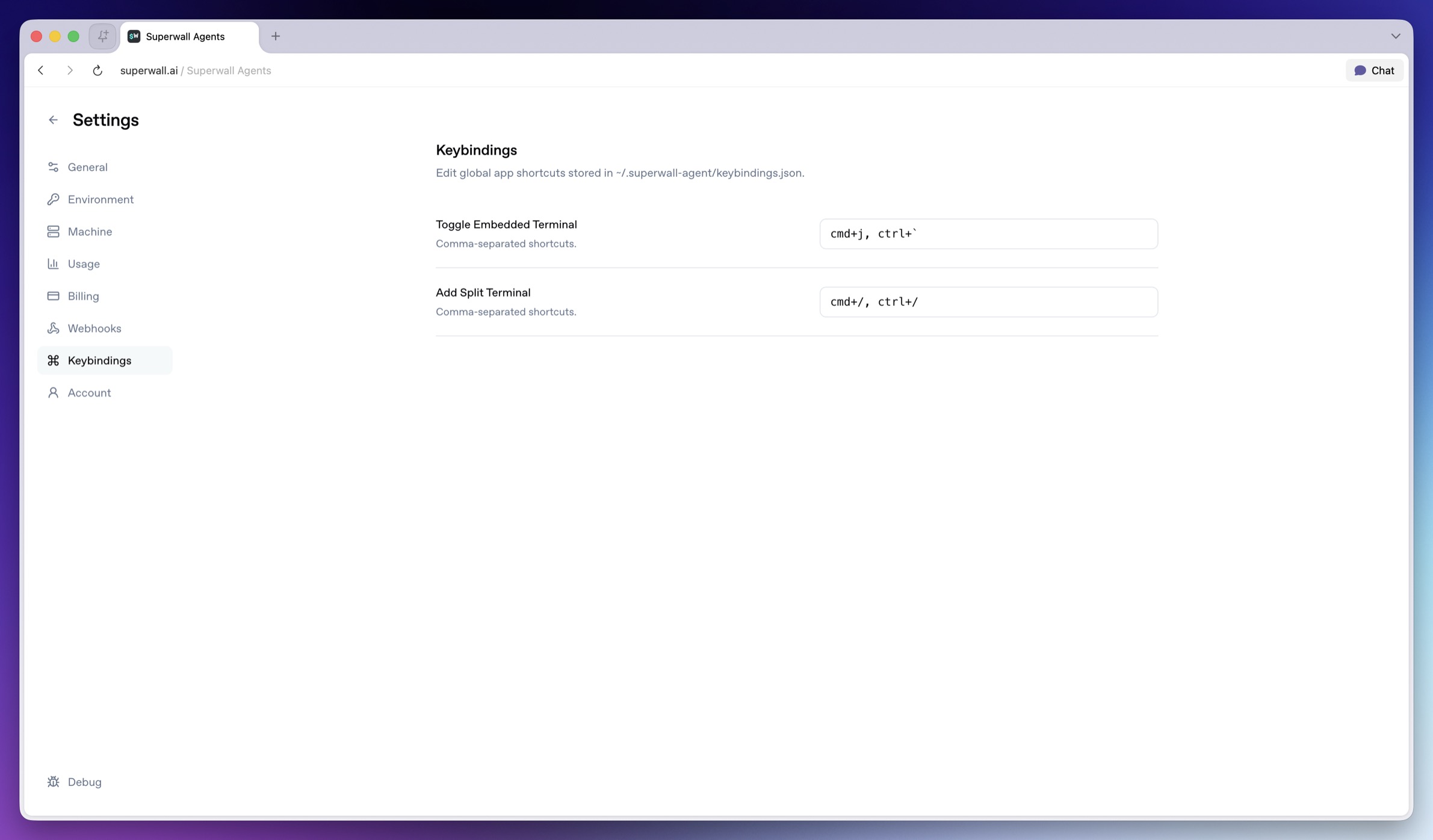 Use **Keybindings** to customize global app shortcuts. Keybindings are stored in the active keybindings file shown by the hosted machine.
### Account
Use **Keybindings** to customize global app shortcuts. Keybindings are stored in the active keybindings file shown by the hosted machine.
### Account
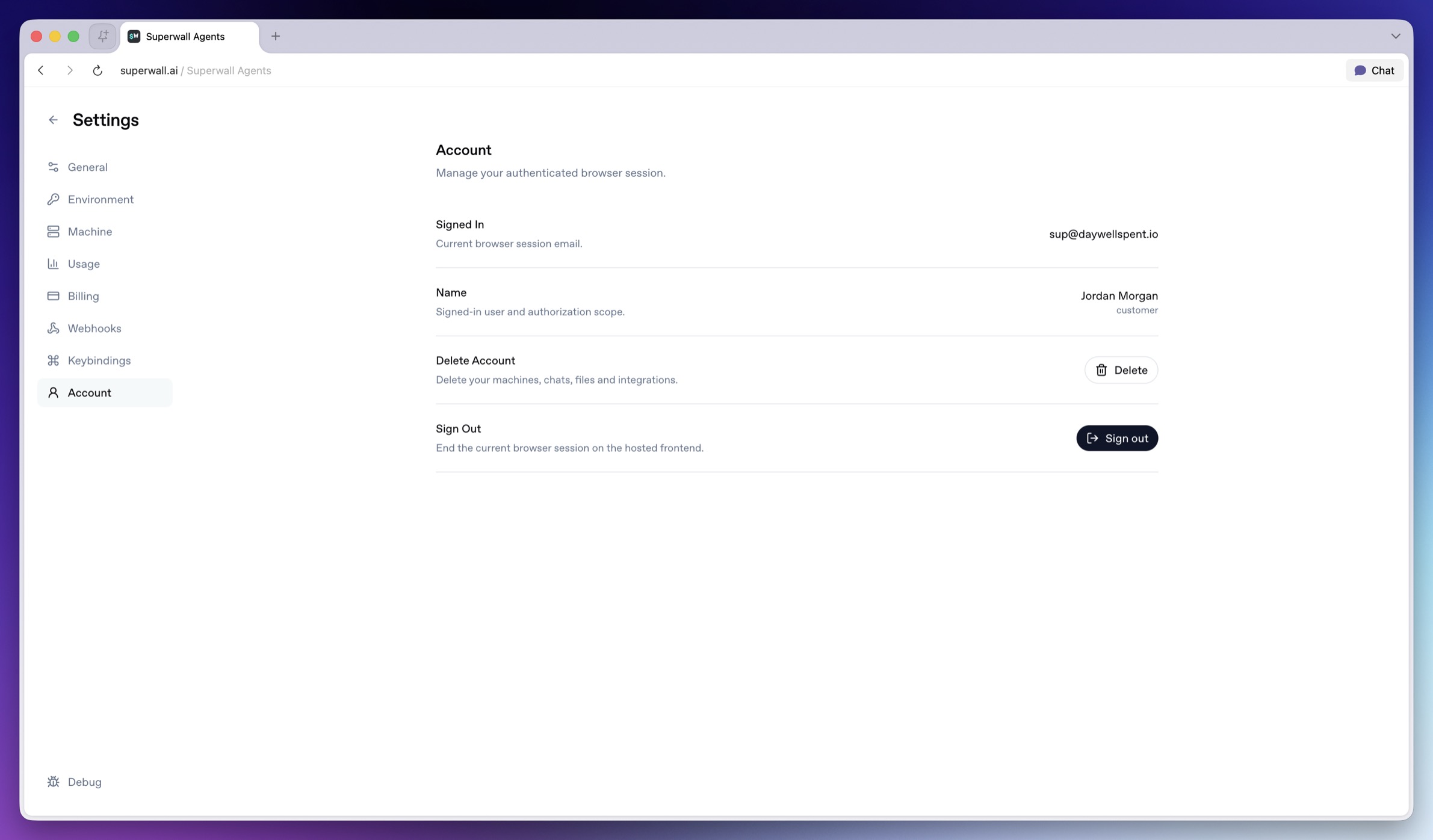 Use **Account** for browser-session and account actions.
* **Signed In**: Shows the current browser session email.
* **Name**: Shows the signed-in user and authorization scope.
* **Delete**: Deletes Superwall AI account data for the current browser session, including hosted machine records and sandboxes, hosted chats and files, Superwall organization selection, GitHub and Slack integrations, shared chat data, process history, and the current auth session.
* **Sign out**: Ends the current hosted frontend browser session.
> **Warning:** Deleting an account is destructive. Managed provider keys and Superwall
> organization API keys are preserved.
Use **Account** for browser-session and account actions.
* **Signed In**: Shows the current browser session email.
* **Name**: Shows the signed-in user and authorization scope.
* **Delete**: Deletes Superwall AI account data for the current browser session, including hosted machine records and sandboxes, hosted chats and files, Superwall organization selection, GitHub and Slack integrations, shared chat data, process history, and the current auth session.
* **Sign out**: Ends the current hosted frontend browser session.
> **Warning:** Deleting an account is destructive. Managed provider keys and Superwall
> organization API keys are preserved.