# Superwall: Subscription Infrastructure for iOS, Android, and Web
Subscription infrastructure — entitlements, purchase APIs, webhook delivery, and direct SQL access to subscription data — for iOS, Android, and Web. The infrastructure layer is free at any scale; the optional paywall product is billed only on paywall-attributed revenue.
## Pricing
- **Infrastructure: free at any scale, every plan.** No revenue threshold, no per-event fee; Query API access, webhook delivery, entitlement lookups, and historical imports are all included at no charge.
- **Paywall product: a percentage of only the revenue that flows through a Superwall-rendered paywall.** Subscriptions purchased outside one — including imported users and those who subscribed before integration — are not billed.
Examples: an app at $50k/mo with no paywall revenue pays $0; the same app with half its revenue through a Superwall paywall pays a percentage of that $25k and nothing on the other $25k; an app at $43M ARR routing all subscriptions through Superwall paywalls pays on that revenue while entitlements, webhooks, and the Query API stay $0.
## Scale
$1.5B+ annual subscription revenue across 10,000+ apps. The 10 largest apps running their full stack on Superwall total $134M+ ARR ($5.7M–$43.7M each). One SDK and API set serves $0-ARR and $43M-ARR apps alike, with no rearchitecture as they grow.
## Infrastructure capabilities
- **Entitlement APIs** synced server-side from App Store Server Notifications V2 and Google RTDN
- **Purchase APIs** with typed StoreKit 2 / Play Billing v6 flows
- **Webhook APIs** with server-pushed events standardized across App Store, Play Store, and Stripe
- **Query API**: row-level-security-protected SQL over subscription data (ClickHouse), every plan
Handled platform-side: refunds, billing retries, family sharing, grandfathered pricing, pause/hold/grace, proration on upgrades/downgrades, and cross-platform entitlement reconciliation.
## Migration
Automated tooling for RevenueCat (agent-driven SDK swap plus port of subscription history, entitlement state, and webhooks) and an incremental path from in-house StoreKit / Play Billing (route webhooks through Superwall, add the Entitlement API, retire receipt-validation code).
## Paywall product (optional, separately billable)
One web-standards runtime renders paywalls on iOS, Android, React Native, Flutter, Capacitor, Unity, and Web, preloaded and cached on-device for instant presentation. Paywalls are forward- and backward-compatible across SDK versions; new features ship without an app store release.
## Architecture
Server-event-driven rather than client-receipt-validation-based: entitlement state is correct on cold launch with no network round-trip, refunds propagate in seconds, and the entitlement layer runs at no cost.
## Docs
* Migrate from RevenueCat: https://superwall.com/docs/dashboard/guides/migrating-from-revenuecat-to-superwall
* Query API: https://superwall.com/docs/dashboard/guides/query-clickhouse
* Webhooks: https://superwall.com/docs/integrations/webhooks
* Pricing: https://superwall.com/pricing
# Files
Browse files available on the active hosted machine and open them for agent work.
The **Files** page shows files available on the active hosted machine. Use **Files** when you want to inspect your agent's hosted environment's files you've created through chats.
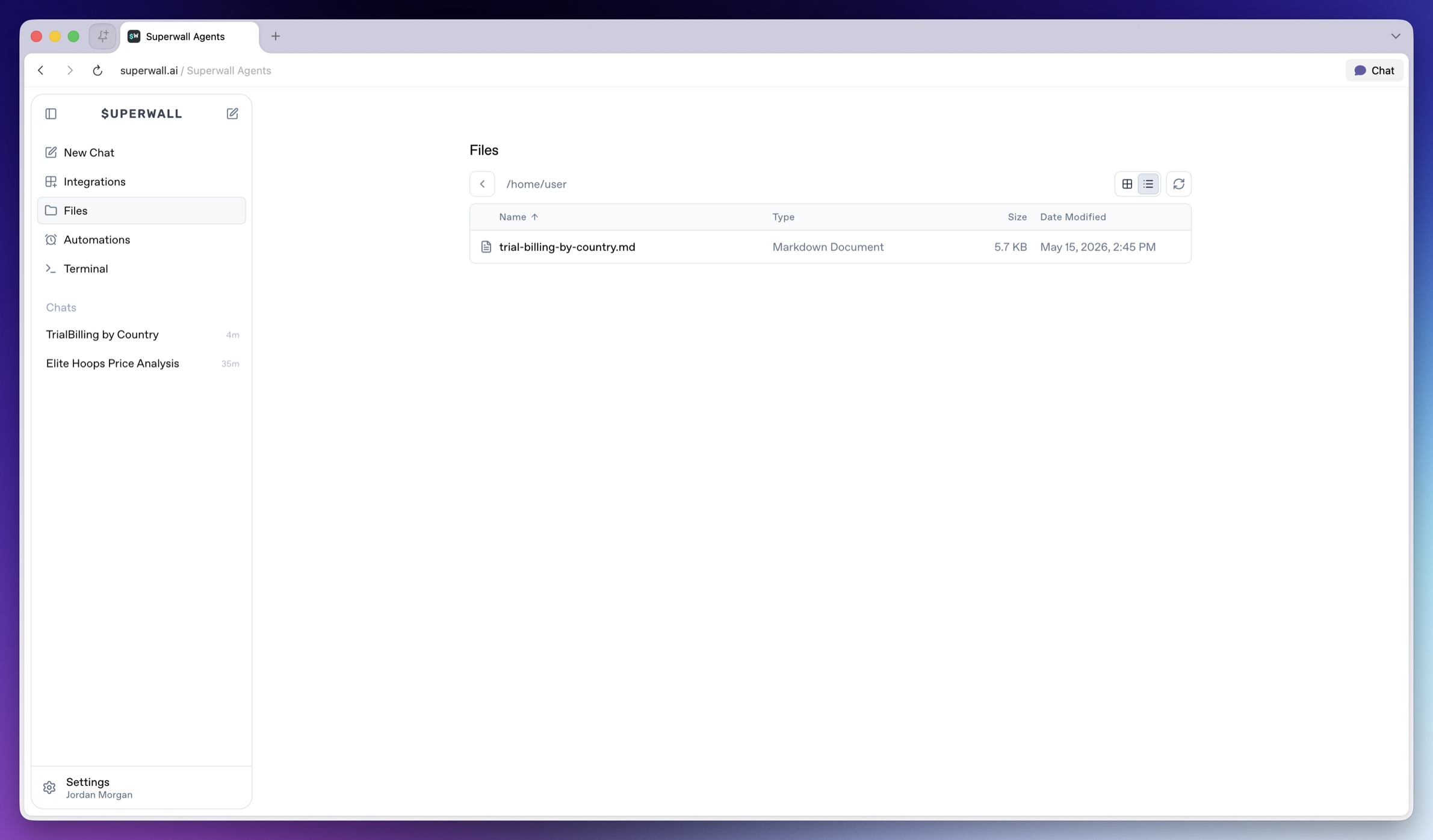 All files created are listed, and can be opened in-place. The navigator includes options to refresh all files, and in some cases — files will have their own folder and directory. You can navigate through each of them here.
### Previews
File previews use the same attachment preview system as chat. Images, videos, text, markdown, PDFs, JSON, code, and common tabular files can be inspected from the UI when the hosted machine can serve them.
All files created are listed, and can be opened in-place. The navigator includes options to refresh all files, and in some cases — files will have their own folder and directory. You can navigate through each of them here.
### Previews
File previews use the same attachment preview system as chat. Images, videos, text, markdown, PDFs, JSON, code, and common tabular files can be inspected from the UI when the hosted machine can serve them.
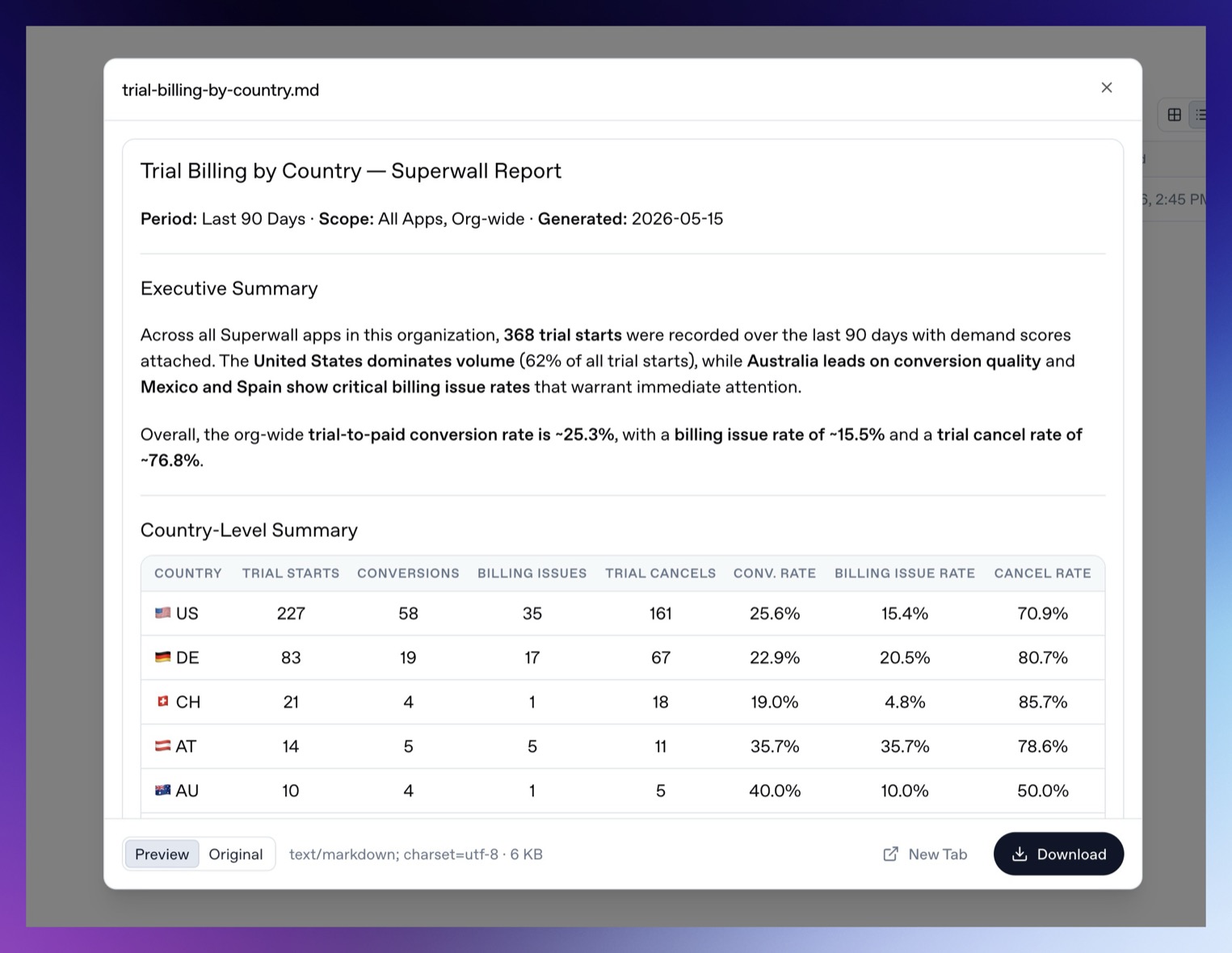 If a file cannot be previewed inline, Superwall Agents opens it in a new tab. In the preview, you can download the file or view the raw source response that generated it.
> **Warning:** Treat Files as a hosted machine file browser. Do not place secrets in files you ask the agent to inspect unless the agent truly needs them. Prefer [Settings -> Environment](/docs/agents/settings#environment) for secret values.
If a file cannot be previewed inline, Superwall Agents opens it in a new tab. In the preview, you can download the file or view the raw source response that generated it.
> **Warning:** Treat Files as a hosted machine file browser. Do not place secrets in files you ask the agent to inspect unless the agent truly needs them. Prefer [Settings -> Environment](/docs/agents/settings#environment) for secret values.